Assemblr.
A Mac app for creators with a script
and too much footage.
Find the moments that fit each line. Choose the shots. Build a first cut you can keep editing. My own independent software product, and a website that makes it understandable.
Visit Assemblr (opens in a new tab)Product thinking / Positioning / Web design / Development

The public website. A clear way into a complex product.
More editing.
Less looking.
The starting point was my own editing workflow: spending too much time in Resolve searching through footage for a small piece of B-roll.
Assemblr grew from that specific problem. Bring the script and the footage together, find relevant moments, and leave the creative decisions with the person making the video.
The story outside.
The product inside.
The website introduces one understandable journey: a script line, matching moments, a choice, then a working cut.
A guided shot-choice illustration makes the decision tangible. Real interface views then connect that explanation to the workspace.


Move the slider to look inside. Use arrow keys, Home or End. Both views are real project captures.
From a line
to a working cut.
The interface makes room for the part that matters: reviewing the footage and deciding what works.
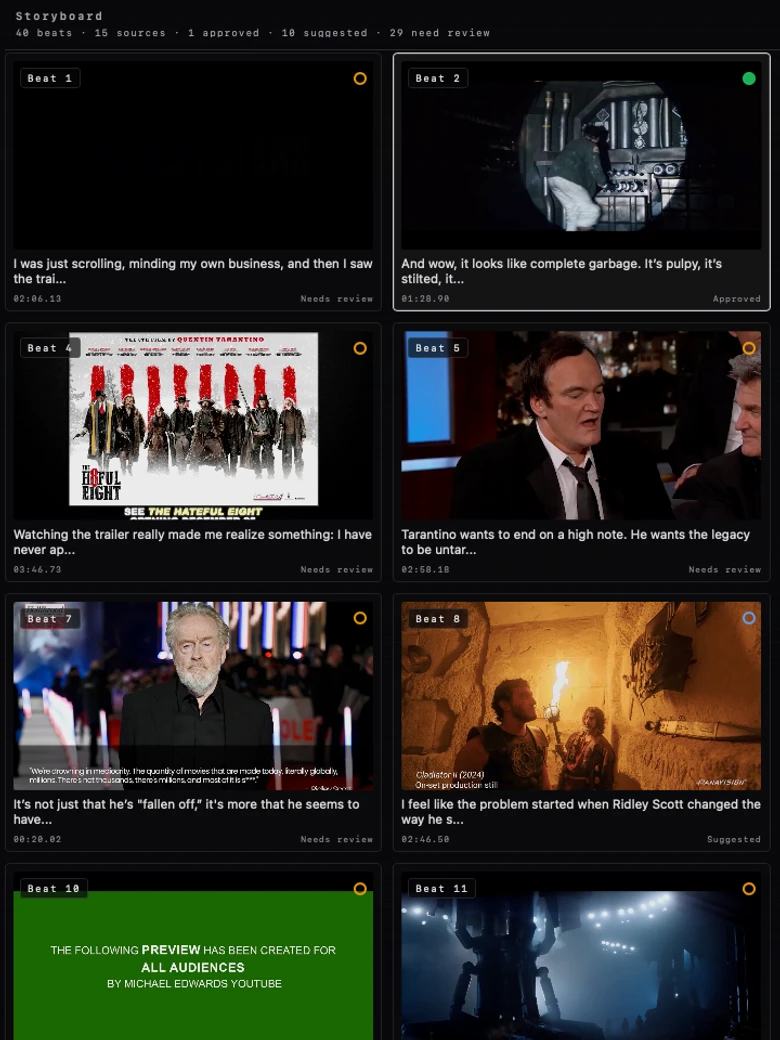
Find the moments.
A script line gives the search a purpose. Matching footage becomes a set of options to review.
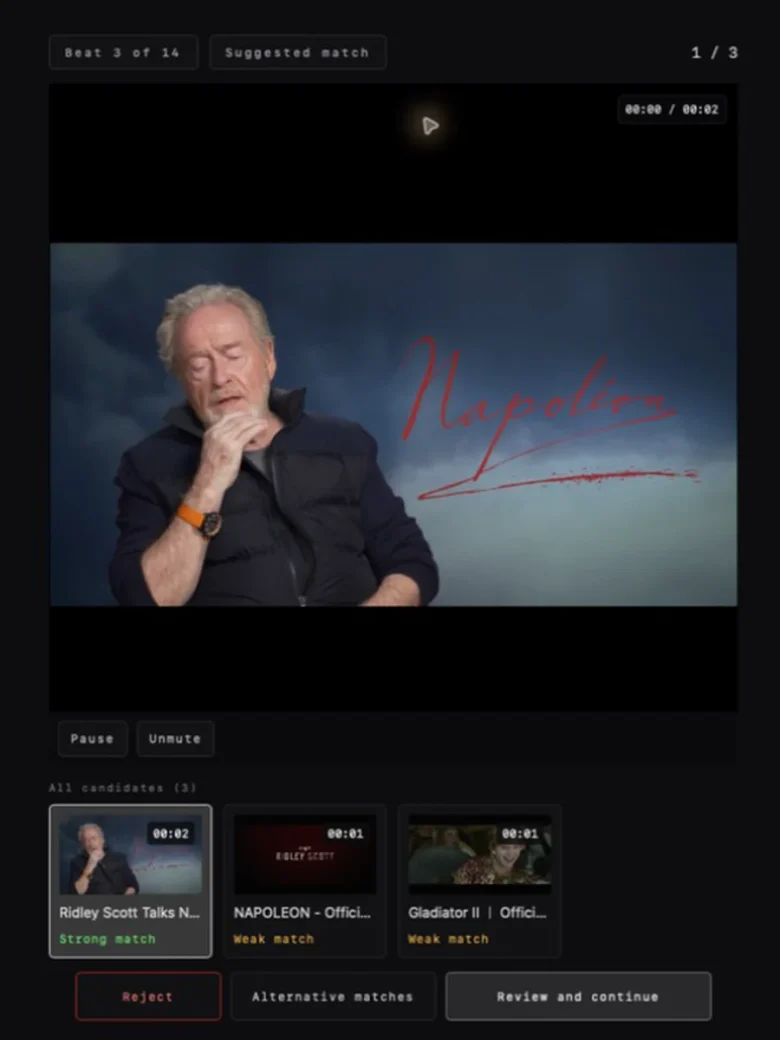
Make the choice.
Review the shot and the alternatives. The creator decides what belongs in the edit.
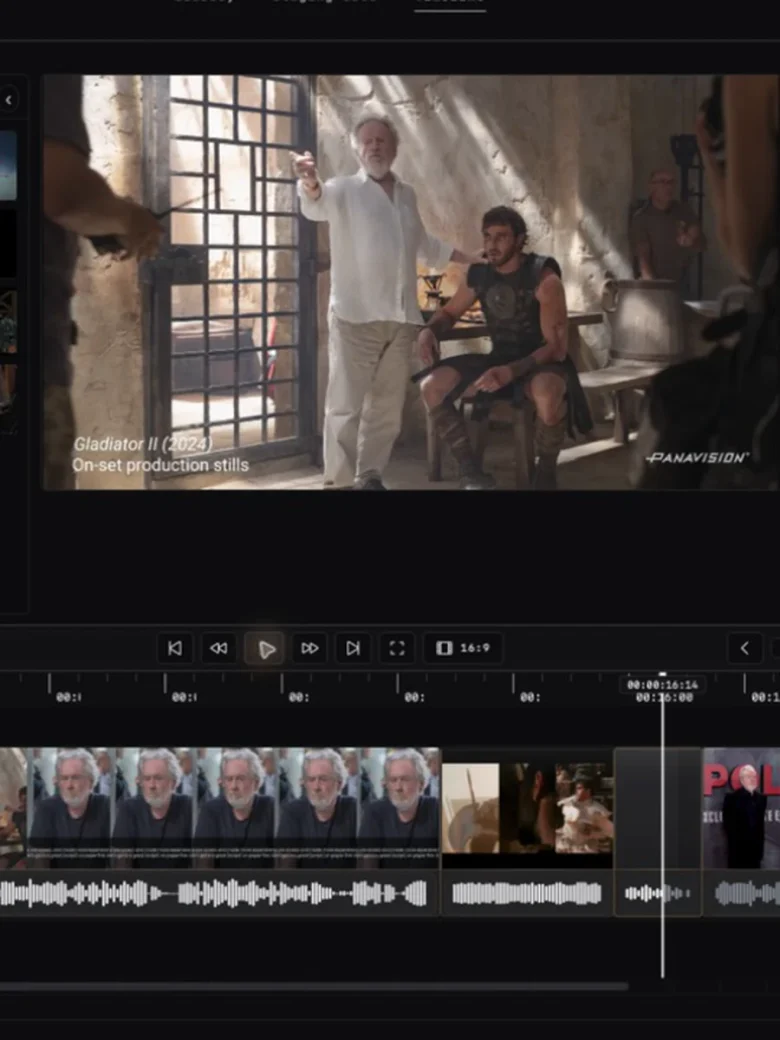
Keep editing.
Chosen shots become a working timeline. It is a starting point for the edit, with room to keep refining.
Details from the real Mac workspace, using Assemblr’s published close-up captures. Scroll across to follow the edit On narrow screens, focus the gallery and use left or right arrow keys. Tab moves on.
Find the options.
Keep the judgment.
The positioning comes down to a boundary: Assemblr helps with the first cut. It does not pretend to replace the editor. The website makes that distinction part of the story, not a footnote.
- Your footage stays local.
- Imported media and core processing stay on the Mac. The website says this plainly before someone downloads.
- You choose the shots.
- A matching moment is an option. Nothing goes into the timeline until the creator chooses it.
- The edit carries on.
- Refine the working cut, or continue detailed editing and finishing in Premiere, Resolve or Final Cut. Supported project-file handoff is a Pro feature.
Make the scope
easy to see.
The pricing presentation explains what changes between Free and Pro: project size, export options and handoff. Smaller projects get a starting point; larger projects have a clearly described next step.

The explanation
has a structure.
The work reaches beyond the homepage: product development, website development, positioning and the pages that answer specific questions.
Search foundations support the same idea. Describe the product accurately, give each page a purpose, and make those pages discoverable.
A route for the question.
- How do I find a shot? (opens in a new tab)
- A dedicated footage-search page connects the product to a specific editing task.
- Where does the cut go next? (opens in a new tab)
- Editor-handoff content explains the next step and its requirements.
- Where does Assemblr fit? (opens in a new tab)
- Comparison content gives the product a place in a creator’s existing workflow.
The quieter build details.
- Metadata with a clear purpose.
- The page title and description explain the footage-to-script workflow and Mac platform.
- Structured product information.
- SoftwareApplication and FAQ data describe the app and answer the same questions as the visible page.
- A map of the public site.
- Sitemap (opens in a new tab) and robots.txt (opens in a new tab) provide the search-facing foundation.
A product.
A clear way in.
Visit Assemblr (opens in a new tab)Product thinking, positioning, design and development.
By Jack Kryslak Gallant.